Download VMware Aria Automation 8.10 Professional V2.2V0-31.24.Pass4Success.2026-06-19.27q.vcex
| Vendor: | VMware |
| Exam Code: | 2V0-31.24 |
| Exam Name: | VMware Aria Automation 8.10 Professional V2 |
| Date: | Jun 19, 2026 |
| File Size: | 188 KB |
How to open VCEX files?
Files with VCEX extension can be opened by ProfExam Simulator.
Discount: 20%

Demo Questions
Question 1
Which deployment action is performed using the VMware Aria Easy Installer?
- Install VMware vCenter
- Register VMware Aria Automation with Workspace ONE Access
- Register VMware Aria Automation with vCenter Single Sign-On
- Install VMware Aria Operations
Correct answer: C
Explanation:
The VMware Aria Suite Easy Installer is a tool designed to streamline the installation process for several VMware products, including VMware Aria Automation. Among its functions, it provides the capability to register VMware Aria Automation with vCenter Single Sign-On (SSO). This integration is essential for enabling centralized authentication and ensuring seamless interaction between VMware Aria Automation and other VMware components within the vCenter infrastructure. The Easy Installer automates and simplifies this registration process, reducing the manual steps required and minimizing the risk of configuration errors.Installing VMware Aria Suite Lifecycle with Easy Installer for VMware Aria Automation and Workspace ONE AccessInstall VMware Aria Automation by using VMware Aria Suite Lifecycle Easy Installer
Question 2
An administrator is building a VMware Aria Automation Cloud Template to allow the destination cloud to be selected via a dropdown at request time.
Where must the administrator configure capability tags to support this requirement?
- Cloud Accounts
- Cloud Zones
- Network Profile
- Kubernetes Zone
Correct answer: B
Explanation:
To allow the selection of the destination cloud via a dropdown at request time in a VMware Aria Automation Cloud Template, the administrator must configure capability tags in the Cloud Zones. Capability tags are used to tag resources with specific capabilities or properties. By tagging Cloud Zones, administrators can define which resources are available for deployment based on the tags selected at request time. This enables users to choose from a list of cloud environments that match the specified capability tags, providing flexibility and control over where workloads are deployed.ReferenceVMware Aria Automation Cloud Zones and Capability Tags
Question 3
Which two types of cloud accounts support IP address assignment in a network profile? (Choose two.)
- Microsoft Azure
- Amazon Web Services
- VMware Cloud on AWS
- Google Cloud Platform
- VMware vCenter
Correct answer: A, B
Explanation:
VMware Aria Automation 8.10 supports IP address assignment in network profiles for specific cloud accounts, enabling automated and efficient network management across various cloud environments. Among the cloud accounts that support this functionality are:Microsoft Azure: VMware Aria Automation integrates with Azure to enable various network and IP management features. With this integration, users can automate the assignment of IP addresses to their resources within their Azure environment, leveraging the comprehensive network management capabilities provided by Azure.Amazon Web Services (AWS): Similarly, AWS is another major cloud provider supported by VMware Aria Automation for IP address management. This allows users to manage their AWS resources' networking configurations, including the automatic assignment of IP addresses within their defined network profiles.The inclusion of these two cloud platforms highlights VMware Aria Automation's capability to manage multi-cloud environments effectively, ensuring that network configurations are handled consistently across different cloud infrastructures.VMware Aria Automation Documentation (VMware Docs).VMware Aria Automation November (8.10.2) Launch Update (VMware Blogs).
Question 4
Which three statements could an administrator use to describe how Stages and Tasks work within a pipeline created within VMware Aria Automation Pipelines? (Choose three.)
- A Task can run either in parallel or sequentially to other Tasks within the same Stage.
- A Stage can run either in parallel or sequentially to other Stages within the same Pipeline.
- A pipeline can only have one Stage.
- A Stage can only have one Task.
- A Stage can have more than one Task.
- A Pipeline can have more than one Stage.
Correct answer: A, B, E, F
Explanation:
Within VMware Aria Automation Pipelines, Stages and Tasks are fundamental components that define the workflow. Here's how they function:A Task can run either in parallel or sequentially to other Tasks within the same Stage (A): This flexibility allows for efficient resource usage and optimization of deployment processes.A Stage can run either in parallel or sequentially to other Stages within the same Pipeline (B): This enables complex workflows to be broken down into manageable segments, which can be executed based on dependencies or simultaneously if there are no interdependencies.A Stage can have more than one Task (E): Each Stage can encapsulate multiple Tasks, allowing for intricate workflows within a single Stage.A Pipeline can have more than one Stage (F): A pipeline is typically composed of multiple stages, each representing a different phase of the deployment process, such as development, testing, and production.These configurations provide significant flexibility and control over the deployment processes within VMware Aria Automation Pipelines, facilitating sophisticated CI/CD workflows.ReferenceUsing VMware Aria Automation PipelinesVMware Aria Automation Pipelines User Guide
Question 5
An administrator configures a lease policy with the following settings:
- Maximum lease (days): 10
- Maximum total lease (days): 30
- Grace period (days): 5
If a user does not respond to any emails, after how many days will the deployment be destroyed?
- 40
- 10
- 15
- 35
Correct answer: D
Explanation:
In VMware Aria Automation, lease policies dictate how long a deployment remains active. The lease policy consists of three primary parameters:Maximum lease (days): 10 - This is the maximum number of days a deployment can stay active before it must be renewed.Maximum total lease (days): 30 - This is the cumulative maximum number of days a deployment can be renewed to stay active.Grace period (days): 5 - This is the number of additional days provided after the lease expires for the user to take action before the deployment is destroyed.With the above settings, the deployment will follow this timeline:Initially, the deployment is active for the maximum lease period of 10 days.After 10 days, if not renewed, the deployment enters the grace period.During the grace period, which lasts for 5 days, the deployment remains active but is marked for deletion.If the user does not respond or renew the lease, the deployment is destroyed at the end of the grace period.Therefore, after the 30-day maximum total lease (10 days initially + maximum 20 days of renewals), an additional 5-day grace period is provided. The total period before the deployment is destroyed is 35 days (30 days + 5 days).ReferenceVMware Aria Automation: Demystifying Lease PolicyVMware Aria Automation Lease PoliciesGetting Started with Automation Assembler using the VMware Aria Automation Launchpad
Question 6
Which type of tag does VMware Aria Automation Assembler automatically apply during provisioning to some deployments to support the analysis, monitoring, and grouping of deployed resources?
- Constraint tag
- Capability tag
- Standard tag
- Storage tag
Correct answer: C
Explanation:
In VMware Aria Automation Assembler, tags are critical for managing, analyzing, monitoring, and grouping deployed resources. Among the various types of tags, the standard tag is automatically applied during the provisioning of some deployments. These standard tags are essential for supporting the analysis, monitoring, and grouping of deployed resources.Standard tags in VMware Aria Automation are system-generated and stored as custom properties. They are used primarily for tracking and managing resources post-deployment. Unlike user-defined tags, standard tags are automatically applied and are not used during the deployment configuration to enforce constraints or capabilities. Instead, they facilitate operational functions such as monitoring resource usage, ensuring compliance, and optimizing resource management.Other types of tags, like constraint tags and capability tags, are user-defined and are crucial during the deployment process for determining resource allocation and meeting specific requirements or constraints. However, standard tags serve a distinct purpose by providing a consistent way to monitor and group resources after they have been provisioned.ReferenceUsing Automation Assembler project tags and custom propertiesTagging Design for VMware Aria Automation AssemblerHow do I use tags to manage Cloud Assembly resources and deployments
Question 7
What is the location of the VMware Aria Automation Orchestrator log files within the VMware Aria Automation appliance?
- /var/syslog/syslog.d
- /var/log/vmware/vco
- /opt/charts/vco/templatea/logs
- /data/vco/usr/lib/vco/app-aerver/logs/
Correct answer: D
Explanation:
VMware Technical Support routinely requests diagnostic information when you submit a support request. This diagnostic information contains product-specific logs and configuration files from the host on which the product runs.Automation Orchestrator Appliancelogs are stored in the/data/vco/usr/lib/vco/app-server/logs/directory. You export the logs of yourAutomation Orchestrator Appliancedeployment by logging in to the appliance command line and running thevracli log-bundlecommand. The generated log bundle is saved on the root folder of yourAutomation Orchestrator Appliance.https://docs.vmware.com/en/VMware-Aria-Automation/8.17/Installing-Configuring-Automation-Orchestrator/GUID-0BA1B08B-7A94-45AD-ADFF-3440529E5F59.html#:~:text=Automation%20Orchestrator%20Appliance%20logs%20are,%2Dserver%2Flogs%2F%20directory.
Question 8
Which two network types support the ability to deploy on-demand security groups? (Choose two.)
- routed
- outbound
- public
- external
- private
Correct answer: A, E
Explanation:
In VMware Aria Automation, certain network types support the ability to deploy on-demand security groups. These include:Routed Networks (A) - Routed networks, also known as routed network profiles, support the deployment of on-demand networks and security groups. This type allows dynamic creation of network segments with their own subnets, routers, and firewall rules.Private Networks (E) - Private networks, while not publicly accessible, support on-demand security groups for isolating and securing the deployed resources within the private network scope.These network types facilitate enhanced security and flexibility, allowing administrators to enforce network security policies dynamically as new workloads are deployed.ReferenceVMware Aria Automation: Network Profile ConfigurationUsing Network Profiles for On-demand Security Groups
Question 9
Which type of cloud account is configured during the Quickstart process?
- VMware vCenter
- VMware Cloud on AWS
- Microsoft Azure
- Google Cloud Platform
Correct answer: D
Explanation:
VMware Aria Automation Config is the component used to define and enforce optimized and compliant software states across an environment. It allows administrators to create desired state configurations and apply them to various resources, ensuring compliance and optimal performance. This component is essential for maintaining consistent and secure configurations in dynamic and hybrid cloud environments.VMware Aria Automation Documentation
Question 10
Within a VMware Aria Automation solution, which three containers make up the VMware Aria Automation Orchestrator Service? (Choose three.)
- vro-server-app
- vco-polyglot-runner
- vco-inventory-runner
- vro-controlcenter-app
- vco-server-app
- vco-controlcenter-app
Correct answer: D
Explanation:
When creating a new flavor mapping in VMware vSphere, the allowed sizing options include specifying both the number of CPUs and the amount of memory. This dual specification enables the creation of custom configurations that meet the specific performance and resource requirements for different types of workloads.Learn more about workload placement
Question 11
Within VMware Aria Automation Assembler, what would an administrator configure to allow a flavor mapping to be selected?
- VMware Aria Automation Custom forms
- VMware Aria Automation Templates
- VMware Aria Automation Cloud zones
- VMware Aria Automation Projects
Correct answer: D
Explanation:
The VMware Aria Automation Orchestrator Workflow Designer role is specifically designed for users who need to create and manage workflows within VMware Aria Automation. Assigning this role to the user will provide them with the necessary permissions to access the workflow design functionalities and carry out their tasks effectively. This aligns with the security policy of providing the minimum set of privileges required for the role, ensuring that users have the capabilities they need without unnecessary additional permissions.VMware Aria Automation Orchestrator DocumentationUsing Automation Orchestrator - VMware Docs
HOW TO OPEN VCE FILES
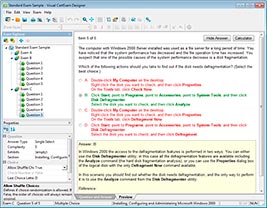
Use VCE Exam Simulator to open VCE files
HOW TO OPEN VCEX AND EXAM FILES
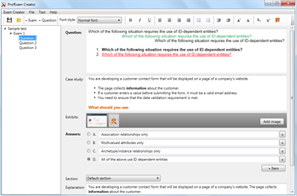
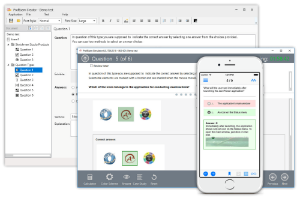
Use ProfExam Simulator to open VCEX and EXAM files
ProfExam at a 20% markdown
You have the opportunity to purchase ProfExam at a 20% reduced price
Get Now!